
 B1 Insightby Nettigo Technology
Clear answers from SAP Business One
Live, read-only reporting for finance, sales and production — bank guarantees, cashflow, costing, sales, GST/TDS and more in one browser app on your LAN.
- Read-only SAP access
- 30-day free trial
- Per module & per user
- Reads SAP, never writes
- Runs on your own server
- SAP Business One on HANA
- GST & TDS ready
Explore
Six modules — open one at a time
Use the tabs below to browse reports and workflows. Everything reads SAP live (Cashflow also keeps a synced copy of open items).
Finance spotlight
GSTR-1, ITC, GSTR-3B and GST ledger reconciled to your GL. TDS payable and receivable in 26Q- and 26AS-style views.
Scheduled report emails
Send A/R ageing (and seven other Finance reports) on a daily, weekly or monthly schedule — summary in the email, Excel and optional PDF attached.
Bank Guarantees
Manage advance (ABG) and performance (PBG) guarantees against SAP sales orders.
- Import sales orders from SAP to create pending ABG/PBG rows
- Issue, submit, return and revise guarantees with full history
- Bank limits, utilisation and expiry highlighted on-screen
Operations
- BG dashboard with KPI tiles and summary matrix
- Queue for issue, submit and return actions
- Master register with customer, project and bank filters
- Sales orders with lot plan, receipts and PDF attachments
Setup
- Payment terms (ABG/PBG %)
- Bank limits and defaults
- Legacy import from Excel
Track every advance and performance bank guarantee against your SAP sales orders.
Built for Indian SAP Business One teams
Manufacturers and project businesses on HANA — finance, sales, production and treasury — who need ready-made reports without SQL or Crystal skills.
- CFOs & accounts — ageing, GST, TDS, cashflow
- Sales leadership — order book, trends, reconciliation
- Production & costing — BOM vs actual, WIP, margins
- Commercial & treasury — ABG/PBG against sales orders
Challenge
GST and TDS don't tie to the GL
B1 Insight
Finance registers reconcile documents to GST and TDS accounts and explain differences.
Challenge
Cash forecasts live in spreadsheets
B1 Insight
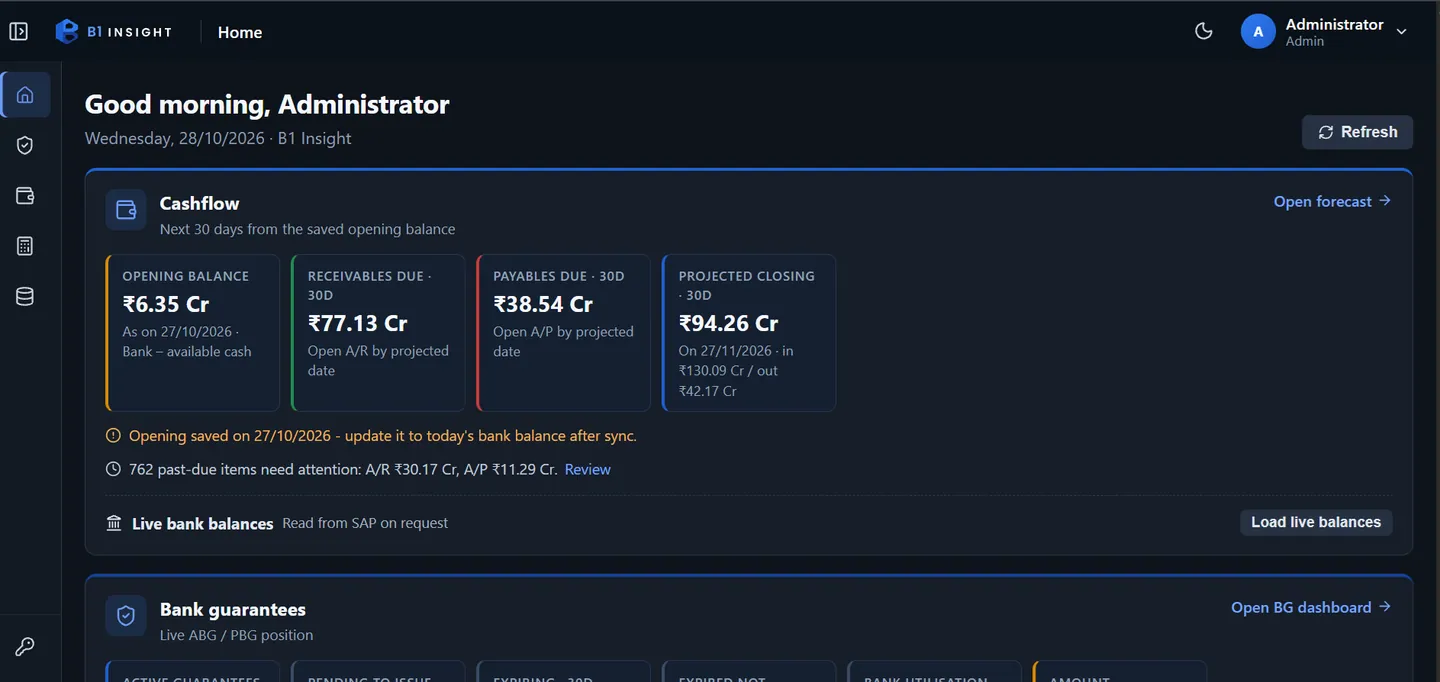
Cashflow projects receivables, payables, open orders and planned cash into a daily forecast.
Challenge
Bank guarantees tracked in Excel
B1 Insight
Full BG lifecycle linked to SAP sales orders, lots and dispatch — with bank-limit utilisation.
Challenge
True FG cost is hard to see
B1 Insight
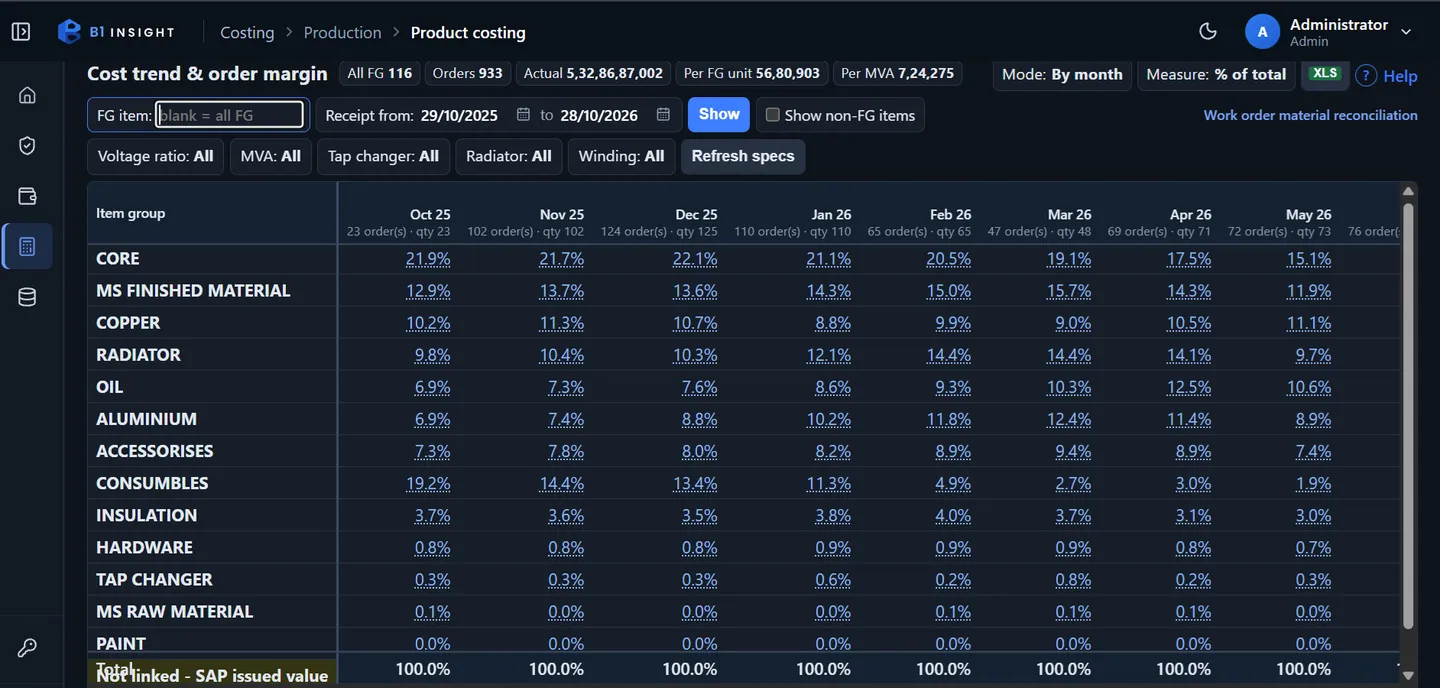
Costing traces actual cost level by level and compares BOM, WIP and sales margin.
Deployment
On your server, in the browser
Install once on Windows, connect read-only SAP on HANA, and let teams open reports from any PC on the LAN.
- Deployment
- Windows installer · runs as a service on your LAN
- Access
- Browser at http://server:5080 — no client install on PCs
- SAP
- HANA only · read-only ODBC user (SELECT)
- App database
- SQL Server Express (optional) or SQL Server 2016+
- Trial
- 30 days · all modules · up to 3 users · no card
- Version
- v1.4.0 (14 Nov 2026)
Also included
- Home dashboard
Cashflow, BG, Costing and Finance quick links plus last SAP sync status.
- Excel everywhere
Export on reports; round-trip on Cashflow plans where your role allows.
- Roles & permissions
View / add / update / delete / export / import per screen.
- Audit log
Sign-ins, changes and blocked actions — filterable and exportable.
- Themes & help
Light, dark or system UI; “?” help on every page.
- Read-only SAP
SELECT-only HANA access; secrets encrypted at rest.
Local users, role-based rights per screen, and an audit log — separate from SAP logins.
How to buy
From install to licensed in minutes
One licence per SAP Business One company, renewed yearly.
- 1
Install
Run the B1 Insight installer on a Windows server that can reach SAP Business One on HANA.
- 2
30-day free trial
All modules, up to three users. No card or sign-up on install.
- 3
Copy request code
Admin › Licence in B1 Insight — identifies your SAP company.
- 4
Pay online
Customer portal — pick modules and users, pay with Razorpay.
- 5
Upload licence
Download the signed .lic after payment and upload in Admin › Licence.
Licence pricing
Simple yearly pricing
Per month, billed yearly. GST extra. Prices load from the live catalog.
For web hosting, see hosting pricing.
FAQ
Common questions
Does B1 Insight change data in SAP Business One?
No. It uses a read-only HANA user. BG plans, cashflow projections and remarks live in B1 Insight's own database.
Which SAP versions are supported?
SAP Business One on SAP HANA only. Microsoft SQL–based SAP Business One is not supported.
Does it need internet?
Not for day-to-day use on your LAN. Internet is only needed for optional SQL Express download during setup, email and online licence purchase.
What happens when the licence expires?
7-day grace with full access, then BG, Cashflow and Masters become view/export only; Costing, Sales and Finance lock until you renew. Data is never deleted.
Can I add users or modules later?
Yes — pay only for the rest of the licence year in the customer portal and upload the new .lic file.
Do I get a GST invoice?
You receive a payment receipt by email immediately; our accounts team sends the GST tax invoice separately.
Can I schedule any report by email?
Today, scheduled emails cover the eight Finance reports (ageing, GST and TDS). Other modules are not schedulable yet.
Interested in working with us?
Let's discuss how Nettigo Technology can help your business grow with reliable hosting, custom software, and digital marketing.